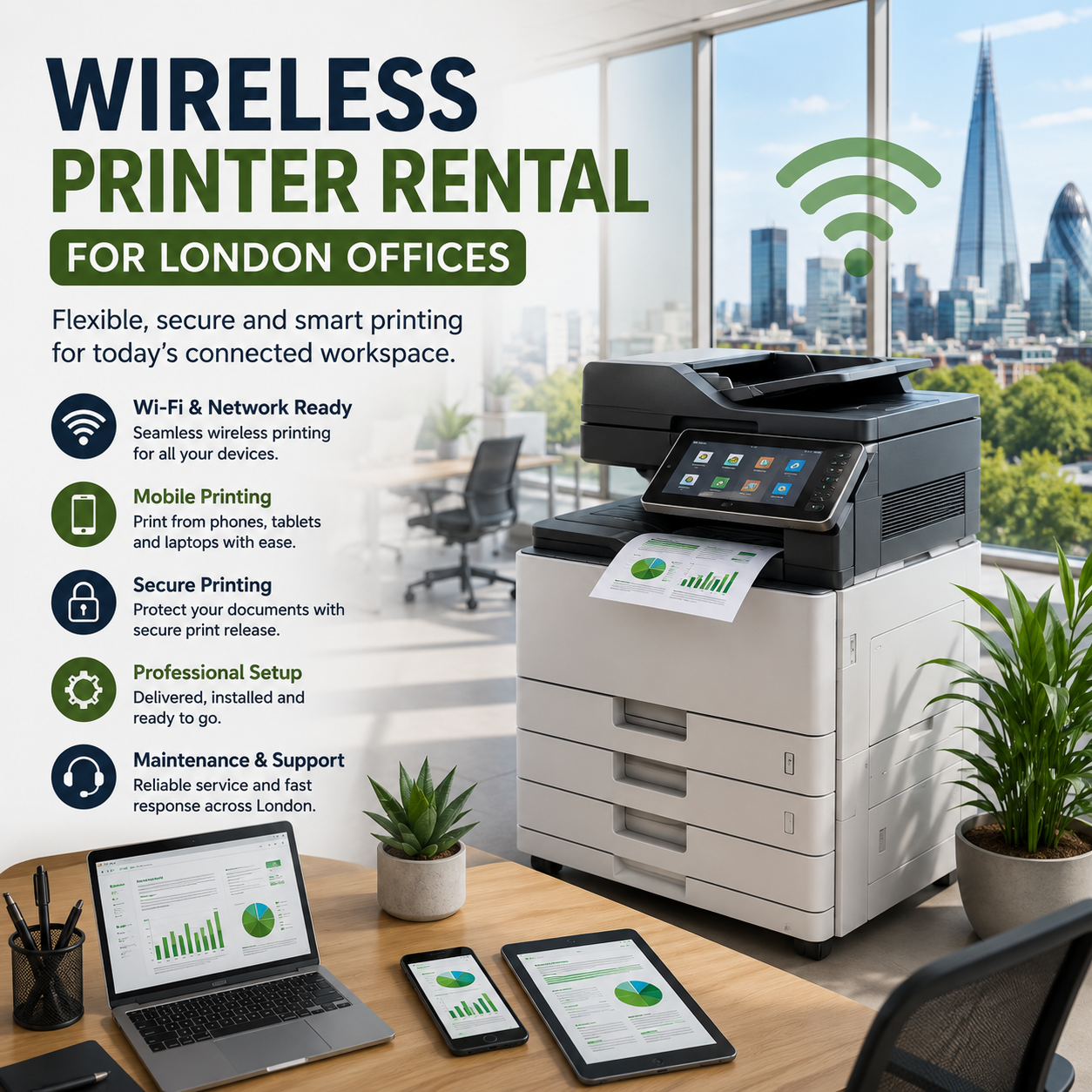
Modern offices no longer print from one fixed desktop computer. Staff may be working from laptops, mobile phones, tablets, meeting rooms, shared desks or temporary project spaces. A suitable wireless printer rental for a London office can give these users convenient access to printing, scanning and copying without requiring the business to purchase equipment before its requirements are fully understood.
However, wireless office printing requires more thought than simply choosing a printer with a Wi-Fi symbol on the specification sheet. The device must suit the office network, number of users, security expectations, operating systems, print volume and document workflow.
Quick answer: can a London office rent a wireless printer?
Yes. A London business can rent a wireless printer or multifunction photocopier for a short-term project, temporary office, growing team or ongoing workplace requirement. Depending on the selected equipment and configuration, users may be able to print from Windows laptops, Macs, iPhones, iPads, Android phones, Chromebooks and other authorised devices.
A professional rental should begin with the office requirement rather than a particular printer model. The supplier should consider who needs to print, where they work, what devices they use, whether documents are confidential and how the printer will connect to the business network.
For the wider service overview, visit photocopier and printer rental .
What does “wireless printer” mean in an office?
In a home environment, wireless printing often means connecting a laptop directly to a small Wi-Fi printer. Business printing can be more structured. The printer may itself connect through Wi-Fi, or it may use a reliable Ethernet connection while users discover and access it wirelessly through the office network.
In practice, an office wireless-printing solution may include one or more of the following:
- Wi-Fi connection between the printer and the office network.
- Ethernet-connected printer available to wireless laptop users.
- Driverless printing from compatible Apple devices.
- Mobile printing from Android phones and tablets.
- Managed printing through a business print server or cloud service.
- Secure print release using a PIN, card or user authentication.
- Remote printing for approved users outside the local network.
- Guest-printing workflows for visitors, events or shared offices.
The right configuration depends on the building, network and security policy. A printer connected by Ethernet can still provide a fully wireless experience to users and may offer greater stability than connecting the printer itself over Wi-Fi.
Benefits of wireless printer rental for London offices
Faster deployment for new and temporary offices
Temporary offices and project teams often need printing before every detail of their long-term IT infrastructure has been finalised. Renting allows the business to install an appropriate device without committing capital to equipment that may not suit the final office.
Support for flexible and hybrid working
Staff can move between desks, meeting rooms and office floors while retaining access to an authorised printer. This is particularly useful in hot-desking environments where employees do not have a permanent workstation.
Printing from mobile devices
Compatible mobile-printing tools allow authorised employees to print documents from phones or tablets. This can help teams working with emailed PDFs, cloud documents, meeting notes, schedules, presentations and customer paperwork.
Professional setup and troubleshooting
Choosing rental with installation and support reduces the risk of staff spending hours attempting to configure drivers, print queues, network permissions and mobile devices themselves.
Flexibility when the office changes
A rental arrangement can be adapted when the team grows, moves to another site or develops more demanding print, scan or finishing requirements. London businesses can explore local coverage through the printer rental London page.
Which computers and mobile devices need to print?
Device compatibility should be discussed before the printer is delivered. An office may appear to be a standard Windows environment while also having directors using Macs, sales staff using iPhones, operational teams using Android devices and visitors arriving with Chromebooks.
Prepare a simple device inventory covering:
- Windows laptops and desktop computers.
- Apple Mac and MacBook devices.
- iPhones and iPads.
- Android phones and tablets.
- Chromebooks.
- Virtual desktops and remote-working platforms.
- Personally owned devices permitted under a BYOD policy.
- Visitor or guest devices that may need controlled access.
Mixed-device offices may benefit from a managed platform rather than configuring every device separately. London Printer Rentals can also help businesses consider PaperCut software where print deployment, user control, reporting or secure release is required.
Do you need a wireless printer, scanner and photocopier?
Many businesses searching for a wireless printer actually need a multifunction device. A business-class multifunction printer can consolidate several document tasks into one supported machine.
- Colour or black-and-white office printing.
- Single-sided and duplex photocopying.
- Automatic document feeding.
- Single-pass or duplex scanning.
- Scan-to-email.
- Scan to an authorised network folder.
- A3 and A4 document handling.
- Stapling, sorting and other finishing options.
Consolidating these functions may reduce the number of separate desktop devices that need supplies, maintenance and network access. Premium business options include Canon photocopiers and printers and Konica Minolta photocopiers and printers .
How to make wireless office printing more secure
A printer is part of the business network and can process confidential documents. It should therefore be included in the company’s security planning rather than treated as an isolated office appliance.
Separate staff and guest access
Do not automatically expose the office printer to every device connected to a public or guest Wi-Fi network. Staff printing and visitor printing should be separated where appropriate.
Change default credentials
Administrative passwords and default settings should be reviewed during installation. Access to the device’s configuration panel should be limited to authorised users.
Use secure print release
Secure release holds a print job until the authorised user reaches the device and enters a PIN, uses an access card or completes another approved authentication step. This can reduce documents being left unattended in the output tray.
Maintain firmware and configuration
Printer firmware, security settings and network configuration should be maintained throughout the rental. Businesses should also remove access for former employees and review permissions when teams change.
Control mobile and remote printing
Mobile printing should be convenient without becoming unrestricted. Organisations should decide whether users must be on the office network, signed into a managed account or authenticated through an approved print-management platform.
Wireless printing for hybrid and hot-desking offices
Hybrid offices can have unpredictable daily print volumes. A busy shared office on Tuesday may be nearly empty on Friday, while project deadlines can create sudden peaks in document production.
A suitable rental should therefore consider:
- The maximum number of users expected on the busiest office days.
- Whether users move between floors or separate office areas.
- Whether one central device or several smaller devices are appropriate.
- How users will discover the correct printer.
- Whether print jobs should follow users between devices.
- How abandoned or duplicated print jobs will be controlled.
- Whether usage needs to be reported by department or user.
Where several printers, sites or departments are involved, a wider Managed Print Services solution may offer better monitoring, reporting and control than treating each device as a separate rental.
Remote monitoring and maintenance
Wireless access is only one part of a dependable office-printing service. Businesses also need toner availability, fault reporting, maintenance and visibility over device status.
Appropriate remote management applications can help monitor device status and consumable levels. This may allow toner requirements or faults to be identified before they cause avoidable office disruption.
The rental quotation should make clear which maintenance services, consumables, call-outs and monitoring tools are included. London Printer Rentals’ wider service and support information explains the importance of maintaining dependable equipment after installation.
Should you rent, lease or use Managed Print Services?
| Option | Best suited to | Typical reason for choosing it |
|---|---|---|
| Printer rental | Temporary, changing or trial requirements | Flexibility without purchasing the equipment outright |
| Printer leasing | Stable, longer-term office requirements | Predictable access to business equipment over an agreed term |
| Managed Print Services | Multiple devices, sites or departments | Central monitoring, optimisation, reporting and support |
Businesses expecting a stable long-term requirement can compare rental with photocopier and printer leasing .
Wireless printer rental quote checklist
Providing the following information will help the supplier recommend a suitable device and installation plan:
- London office address and required installation date.
- Rental period or expected contract length.
- Number of regular and occasional users.
- Windows, Apple, Android and Chromebook requirements.
- Estimated monthly mono and colour print volumes.
- A4 or A3 paper requirements.
- Scanning, copying and finishing requirements.
- Wi-Fi, Ethernet and network-access availability.
- Guest, mobile or remote-printing requirements.
- Secure release, PIN or card-authentication requirements.
- Access restrictions, stairs, lifts and delivery arrangements.
- Maintenance, toner and monitoring expectations.
Why choose London Printer Rentals?
London Printer Rentals combines flexible equipment rental with professional installation, premium devices and ongoing service expertise. The aim is not merely to deliver a printer, but to provide a practical setup that works with the office, network and users.
- London-focused service with wider nationwide capability.
- Flexible short-term and longer-term rental options.
- Premium Canon and Konica Minolta equipment.
- Gold Star service and responsive technical support.
- No minimum volume contracts on suitable rental arrangements.
- Maintenance, monitoring and managed-print options.
- Professional delivery, installation and setup.
- A price match guarantee for qualifying comparable quotations.
Review the price match guarantee or request a tailored recommendation for your office.
Frequently asked questions
Yes. London offices can rent business-class printers and multifunction photocopiers that support network, Wi-Fi and mobile printing. The correct setup depends on the network, user devices, security requirements and print volume.
Compatible printers can support printing from iPhones, iPads and Android devices. The method may use AirPrint, Mopria, manufacturer software, PaperCut or another managed solution.
It can be secured using appropriate network configuration, authentication, firmware maintenance, user permissions, encrypted connections and secure print release.
A professionally supplied rental can include delivery, installation, network configuration, print queue setup, testing and user guidance. Confirm the precise inclusions in the quotation.
Yes. Multifunction printers can combine printing, photocopying and scanning, with options such as automatic document feeding, duplex scanning and scan-to-email.
Rental generally suits temporary or changing needs, leasing can suit stable long-term use, and Managed Print Services may be preferable for multiple devices, locations or departments.
Arrange wireless printer rental for your London office
A successful wireless-printing setup should make it easier for authorised users to print without making the office network difficult to manage or exposing sensitive documents. The device, connectivity, mobile-printing tools, security controls and support arrangement should all be considered together.
London Printer Rentals can assess your users, devices, print volumes and office requirements before recommending a suitable printer or multifunction photocopier.